Halloween Memory review
8.0/10
By the GAME SPACE editorial team · Updated October 3, 2026 · How we rate games
Why these scores
Levels with growing grids and a timer add progression to a simple pairs game.
Flipping cards needs no explanation and works well with a finger.
Levels and a saved high score give a reason to return, though the content is finite.
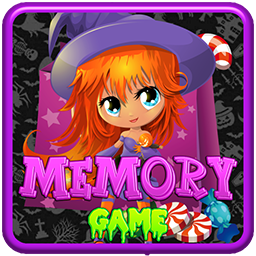
Friendly Halloween pictures with nothing frightening.
Our take
A friendly, well-paced memory game. The timer and growing grids give it more bite than a plain pairs game, while the Halloween art stays cute rather than spooky.
What we like
- +Levels add a clear sense of progression
- +Distinctive pictures suit young players
- +High score saved between sessions
What could be better
- −The timer can frustrate very young children
What is Halloween Memory?
Flip spooky cards, find the pairs and beat the clock level by level.
Halloween Memory is a concentration card game with a friendly Halloween theme. A grid of face-down cards hides matching pairs of seasonal pictures. You turn over two cards at a time; if they match, they stay face up, and if not, they flip back and you need to remember where they were.
The game is split into levels, and each level adds more cards to the grid. A timer runs while you play, and your score and high score are tracked. Clear every level to complete the game.
How the puzzles work
Each level deals a grid of face-down cards. You flip two cards per turn. Matches stay revealed and add to your score; mismatches turn back over after a moment.
The game counts your turns and the time taken. When every pair is found, you move to the next level with a larger grid. If the timer runs out, the game is over.
Solving strategies
Use corners as anchors
Corner and edge cards are easier to remember. Start there and remember other cards relative to them.
Flip in order
Flipping cards in a consistent pattern helps you remember where each picture is.
Do not waste flips
Every flip should either complete a match or reveal a new card. Avoid flipping cards you already know.
Your first puzzle
- Flip two cards in the corners first.
- Remember what you saw before flipping more.
- When you recognise a match, go straight to it.
- Work through the grid in a steady order.
- Clear the level and move on to a bigger grid.
Controls
- ▸Click or tap a card to flip it.
- ▸Flip two cards per turn.
- ▸Matching pairs stay face up.
Common mistakes to avoid
- ✕Flipping randomly.
- ✕Forgetting recently seen cards.
- ✕Rushing because of the timer.
Quick tips
- ★Name each picture in your head.
- ★Start from the corners.
- ★Never re-flip a known mismatch.
Deep dive
A gentle brain workout
Memory games exercise short-term memory and attention, and Halloween Memory makes that practice fun with friendly seasonal artwork.
Growing challenge
Each level adds more cards, so you need to hold more positions in your head. The timer adds a little urgency.
Playing together
It is a great game to play with children: take turns, name the pictures out loud and count who finds the most pairs.
Turns and time
Halloween Memory tracks both the time and the number of turns you take. Using fewer turns and finishing quickly both contribute to a better result.
Playing with children
Name the pictures out loud and take turns to make it a family game.
Getting through the later levels
Each new level of Halloween Memory adds more cards, and by the later levels the grid holds far more pictures than anyone can remember at a glance. The players who finish the game are the ones who stay organised. Flip cards in a fixed order — for example, left to right across each row — so you always know which cards are still unknown. When you turn over a picture you have seen before, go straight to its partner instead of flipping something new. And do not let the timer rush you into careless flips: one wasted turn costs more time than a moment of thought. If a level goes badly, take a short break before the next attempt; a fresh mind remembers positions much better than a tired one.
Who Halloween Memory suits
Halloween Memory suits families and memory-game fans.
Halloween Memory game data
| Genre | Puzzle |
|---|---|
| Structure | Levels with growing grids, timed |
| Difficulty | Easy |
| Typical session | 3–10 minutes |
| Controls | Mouse or touch |
| Best for | Families and memory-game fans |
| Screen | Landscape (1920×1080 native) |
| Touch screen support | Yes |
| Keyboard support | Yes |
| Saves scores in your browser | Yes |
| Image files in the build | 76 |
| Audio files in the build | 10 |
| Price | Free — no download, no account |
Screen, input, save and file data are read directly from the game’s own build files, so they describe the exact version you play here.
How Halloween Memory compares
Halloween Memory and Memory Game are the two memory games on GAME SPACE. Halloween Memory has levels and a timer; Memory Game is untimed and counts how many turns you need to clear the board.
If you enjoy calm thinking games, Super Color Lines is a good next step.
Frequently asked questions
- How many cards are there?
- The grid grows with each level.
- Is there a timer?
- Yes, a timer runs while you play.
- Is it scary?
- No, the Halloween pictures are friendly.
- Is it good for kids?
- Yes, it is a great memory game for all ages.
- Is my high score saved?
- Yes, it is shown on the menu.
- Can I play on a tablet?
- Yes, tapping cards works well.
- What happens if the timer runs out?
- The game ends, and you can start again from the menu.
The bottom line
Halloween Memory is a friendly, levelled memory game. Start from the corners, flip in order and do not waste flips.
Keep exploring
- Compare and rank all Puzzle games
- Read our guide: Color Lines Strategy Guide: Thinking Several Moves Ahead